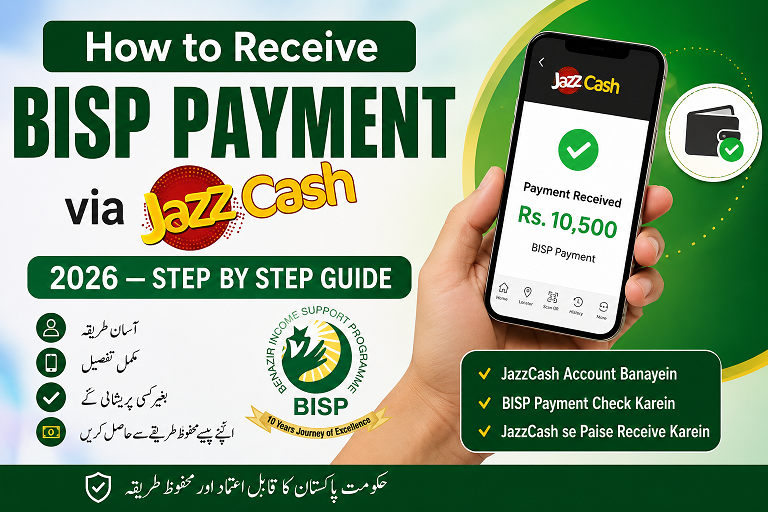
How to Receive BISP Payment via JazzCash 2026 — Complete Step by Step Guide
To receive your BISP payment on JazzCash in 2026: (1) Have an active Jazz SIM on your CNIC. (2) Open a free JazzCash account by dialing *786#. (3) Visit your BISP Tehsil office to link this number to your CNIC. (4) When payment is released, check balance by dialing *786#. (5) Withdraw cash at any JazzCash agent with your CNIC and SIM. The whole setup takes less than one hour.
Directly on JazzCash — Here’s Exactly How
Since 2022, BISP has shifted almost entirely to digital payment through JazzCash and Easypaisa mobile wallets — ending the old system of cash distribution at payment centres where beneficiaries had to wait for hours in long queues. Today, your quarterly BISP payment of Rs. 10,500 arrives directly in your JazzCash wallet and you can withdraw it from any of the 100,000+ JazzCash agents across Pakistan within minutes.
This guide walks you through the entire process from scratch — whether you are a first-time JazzCash user or an existing user who needs to link their account to BISP for the first time.
Already a JazzCash user but BISP payment not coming?
If you already have JazzCash but your BISP payment has not arrived, the issue is usually that your number is not linked to your CNIC in the BISP system. Jump to Step 2 — Link JazzCash to BISP, or read our full guide: BISP Payment Not Received — 7 Reasons & Fixes →
What You Need Before Starting
Before you begin, make sure you have all of these ready. Missing even one item will delay your setup.
| Item Required | Details | Where to Get It |
|---|---|---|
| Original CNIC | Must be valid and not expired. Your JazzCash account must be on the same CNIC as your BISP registration. | NADRA — renew if expired before doing anything else |
| Jazz or Warid SIM | Must be registered (biometric verified) on your own CNIC — not someone else’s name | Any Jazz franchise or retailer |
| Mobile phone | Any basic phone capable of dialing USSD codes (*786#). A smartphone is helpful but not required. | Any phone works |
| BISP Registration | You must already be a registered BISP beneficiary. Check status by SMS CNIC to 8171. | Check via 8171 SMS |
Critical — SIM Must Be on Your Own CNIC
This is the #1 mistake people make. If your Jazz SIM is registered on a husband’s, son’s, or father’s CNIC — not your own — BISP will not send payment to it. The SIM must be biometrically verified on the same CNIC number as your BISP record. Visit any Jazz franchise with your CNIC to verify your SIM ownership. (سم آپ کے اپنے شناختی کارڈ پر ہونی چاہیے)
Step 1 — Open Your JazzCash Account
If you do not already have a JazzCash account, here is how to open one. It is completely free and takes under 10 minutes.
Method A — Open via USSD Code (No Internet Needed)
-
1Dial *786# from your Jazz SIM A menu will appear on your screen. This works on any phone — even basic feature phones — with no internet connection needed. (اپنے جاز سم سے *786# ڈائل کریں)
-
2Select “Open Account” or “New Account” This option is usually number 6 or 7 in the menu depending on your SIM type. Press the number and send.
-
3Enter your CNIC number when asked Type your full 13-digit CNIC number without dashes. Press send. (شناختی کارڈ نمبر بغیر ڈیش درج کریں)✅ Your CNIC must already be biometrically verified on this Jazz SIM for account activation to succeed.
-
4Create a 5-digit PIN You will be asked to set a secret 5-digit PIN for your JazzCash account. Choose something you will remember but that others cannot guess. Do NOT use your date of birth or CNIC numbers.⚠️ Never share your PIN with anyone — including people who claim to be JazzCash staff or BISP officers.
-
5Confirm PIN and account is created You will receive a confirmation SMS saying your JazzCash account is active. Your JazzCash number is the same as your Jazz mobile number.✅ Account created! Now proceed to Step 2 to link this number to BISP.
Method B — Open via JazzCash Agent (Recommended for First-Timers)
✅ Visit Any JazzCash Agent Near You
- Take your original CNIC and your Jazz SIM to any JazzCash agent (look for the green JazzCash sign)
- Tell the agent: “Mujhe BISP payment receive karni hai, JazzCash account banana hai”
- The agent will open the account on your behalf using your CNIC and SIM — free of charge
- They will also help you set your PIN
- This method is easier if you are not comfortable with USSD menus
Step 2 — Link Your JazzCash Number to BISP
Having a JazzCash account alone is not enough. BISP must know your JazzCash number to send payment there. This linking step is done at the BISP office — not at JazzCash.
-
1Find your nearest BISP Tehsil Office Go to bisp.gov.pk → click “Contact Us” → find your district and tehsil office address. Or call 0800-26477 (free) and ask for your nearest office address. (بی آئی ایس پی تحصیل دفتر کا پتہ معلوم کریں)
-
2Visit the office with these three items:
- Your original CNIC (not a photocopy)
- Your Jazz SIM inserted in your phone
- Your JazzCash account number (same as your Jazz mobile number)
✅ Office hours are typically Monday to Friday, 9am to 4pm. Go early to avoid queues. -
3Tell the BISP staff: “Mera JazzCash account banana hai aur BISP se link karna hai” They will check your CNIC in their system and update the payment account number to your JazzCash mobile number. (بی آئی ایس پی اسٹاف کو جاز کیش نمبر اپ ڈیٹ کرنے کو کہیں)
-
4Get a confirmation slip or note the reference number they give you. Ask them how many days it will take for the update to process. Typically it takes 7–14 working days for the new number to be active in the BISP payment system.
-
5After 14 days, verify by sending your CNIC to 8171. The reply should now show your linked JazzCash number. If not, call 0800-26477 with your reference number to follow up.✅ Linking is a one-time process. Once done, all future payments come automatically to your JazzCash.
Step 3 — How to Check If Your BISP Payment Has Arrived
BISP releases payments quarterly. Here are three ways to know when your money is in your JazzCash wallet:
Method 1 — Check via USSD *786#
Method 2 — Check via JazzCash App (Smartphone)
-
1Download the JazzCash app from Google Play Store or Apple App Store. Search “JazzCash” — it is the green icon.
-
2Log in with your Jazz mobile number and your 5-digit JazzCash PIN.
-
3Your balance shows on the home screen. Tap “Transaction History” to see if a BISP credit has been received and when.
Method 3 — Check BISP Status via 8171 SMS
Send your 13-digit CNIC (without dashes) to 8171 by SMS. The reply will say “Payment Disbursed” when BISP has released your money — though it may still take 24–72 hours to appear in your JazzCash wallet after disbursement.
Step 4 — How to Withdraw Your BISP Money from JazzCash
Once your BISP payment is in your JazzCash wallet, you can withdraw cash at any of the 100,000+ JazzCash agents across Pakistan. Here is exactly what to do:
-
1Find a JazzCash agent near you. Look for the green JazzCash signboard at shops, mobile retailers, and utility stores. You can also find the nearest agent at jazzcash.com.pk → Agent Locator. (قریبی جاز کیش ایجنٹ تلاش کریں)
-
2Tell the agent: “BISP ka paisa nikalna hai” or “Cash withdrawal karna hai.” The agent will ask for your mobile number and begin the transaction on their device.
-
3You will receive a USSD prompt on your phone. It will ask you to enter your 5-digit JazzCash PIN to authorize the withdrawal. Enter your PIN carefully — three wrong attempts will lock your account. (اپنا 5 ہندسوں کا پن کوڈ درج کریں)
-
4Show the agent your original CNIC when they ask for it. This is an identity verification step required by State Bank of Pakistan regulations for cash withdrawals.⚠️ Always show your ORIGINAL CNIC — not a photocopy. Agents are not allowed to proceed without it.
-
5Receive your cash and confirm the receipt SMS. You will get an SMS confirming the withdrawal amount and your new balance. Keep this message as proof. (ایس ایم ایس رسید محفوظ رکھیں)✅ You can withdraw the full Rs. 10,500 in one transaction. No need to split it into multiple visits.
Agent Withdrawal Fee — Know Before You Go
JazzCash agents may charge a small fee of Rs. 10–25 per withdrawal transaction. This is standard and regulated by SBP. However, if any agent charges more than Rs. 50 for a withdrawal, you can report them on the JazzCash helpline at 051-111-952-952. BISP payment itself arrives in full — fees are only charged on withdrawal.
JazzCash USSD Menu Guide — All Useful Codes
All JazzCash services work through the *786# USSD code. No internet or smartphone needed. Here are the most useful menu paths for BISP beneficiaries:
| What You Want to Do | USSD Path | Urdu |
|---|---|---|
| Check balance | *786# → 1 (My Account) → 1 (Balance) | بیلنس چیک کریں |
| Change PIN | *786# → 1 (My Account) → 4 (Change PIN) | پن تبدیل کریں |
| Transaction history | *786# → 1 (My Account) → 2 (Mini Statement) | لین دین کی تاریخ |
| Send money | *786# → 2 (Send Money) → enter number & amount | پیسے بھیجیں |
| Mobile top-up | *786# → 3 (Mobile Top-Up) | موبائل ریچارج |
| Pay utility bill | *786# → 5 (Pay Bills) | بل ادا کریں |
Common Problems & Quick Fixes
JazzCash vs Easypaisa for BISP — Which is Better?
BISP supports both JazzCash and Easypaisa for payment delivery. Here is a quick comparison to help you choose if you do not already have an account:
| Feature | JazzCash | Easypaisa |
|---|---|---|
| Network | Jazz / Warid SIM required | Telenor SIM required |
| Agent network | 100,000+ agents | 150,000+ agents |
| USSD code | *786# | *786# (same code, different network) |
| App quality | Good — widely used | Good — slightly more features |
| Best for rural areas | Strong in Punjab & KPK | Strong in all provinces |
| BISP compatibility | ✅ Fully supported | ✅ Fully supported |
| Verdict | Choose the one matching your current SIM. Both work equally well for BISP. | |
Easypaisa Users — We Have a Separate Guide
If you have a Telenor SIM and want to receive BISP payment on Easypaisa instead, read our dedicated guide: How to Receive BISP Payment via Easypaisa 2026 →
بی آئی ایس پی ادائیگی جاز کیش پر کیسے لیں — اردو خلاصہ
جاز کیش سے بی آئی ایس پی کی ادائیگی وصول کرنے کا مکمل طریقہ
بی آئی ایس پی کی روپے 10,500 سہ ماہی ادائیگی اب سیدھی آپ کے جاز کیش موبائل والیٹ میں آتی ہے۔ اس کے لیے یہ آسان اقدامات اٹھائیں:
- پہلا قدم: اپنے شناختی کارڈ پر رجسٹرڈ جاز یا وارد سم حاصل کریں
- دوسرا قدم: اپنے جاز سم سے *786# ڈائل کریں اور مفت جاز کیش اکاؤنٹ کھولیں
- تیسرا قدم: اصل شناختی کارڈ اور جاز سم لے کر قریبی بی آئی ایس پی تحصیل دفتر جائیں اور اپنا جاز کیش نمبر لنک کروائیں
- چوتھا قدم: ادائیگی آنے پر *786# ڈائل کر کے بیلنس چیک کریں
- پانچواں قدم: قریبی جاز کیش ایجنٹ سے اصل شناختی کارڈ دکھا کر نقد رقم نکالیں
اگر ادائیگی نہ آئے تو 8171 پر شناختی کارڈ نمبر ایس ایم ایس کریں یا 0800-26477 پر مفت کال کریں۔ کوئی بھی آپ سے پیسے مانگے تو فوری اطلاع کریں — بی آئی ایس پی اور جاز کیش کی تمام خدمات بالکل مفت ہیں۔
Frequently Asked Questions
How do I receive my BISP payment on JazzCash in 2026?
Open a free JazzCash account by dialing *786# on your Jazz SIM, then visit your BISP Tehsil office with your CNIC to link the number. Once linked, your Rs. 10,500 quarterly payment arrives automatically in your JazzCash wallet every January, April, July, and October.
How much is the BISP payment via JazzCash in 2026?
The BISP quarterly payment in 2026 is Rs. 10,500 per eligible household. It is paid four times a year. The full amount arrives in your JazzCash wallet — withdrawal agent fees of Rs. 10–25 may apply when you collect the cash.
How do I check my BISP balance on JazzCash?
Dial *786# from your Jazz SIM → Select “My Account” → Select “Check Balance” → Enter your 5-digit PIN. Your current wallet balance including any BISP payment will show immediately. You can also check via the JazzCash app on a smartphone.
Can I withdraw BISP money from JazzCash without going to an agent?
For BISP specifically, you currently need to visit a JazzCash agent to collect your cash. Bring your original CNIC and the Jazz SIM linked to your BISP account. The agent will process the withdrawal after you enter your PIN on your phone.
What if my BISP payment came to JazzCash but I forgot my PIN?
Dial *786# → My Account → Change PIN. You will need to verify using your CNIC number. If you cannot reset it yourself, visit any Jazz franchise with your original CNIC and they will reset your PIN for free in a few minutes.
Is JazzCash free for BISP beneficiaries?
Yes — opening a JazzCash account is completely free and receiving BISP payments has zero charges. There may be a small regulated agent fee of Rs. 10–25 when you withdraw cash at an agent, but the BISP payment itself arrives in full.
My JazzCash number changed. How to update it in BISP?
Visit your nearest BISP Tehsil office with your original CNIC and your new active Jazz SIM. Staff will update your payment account number. It takes 7–14 working days for the change to take effect. Confirm by sending your CNIC to 8171 after 14 days.
Related Guides
- BISP Official Website — bisp.gov.pk
- JazzCash Official — jazzcash.com.pk
- BISP Helpline 0800-26477 — Information verified July 2026
- JazzCash Helpline 051-111-952-952 — Withdrawal fee information verified July 2026